
AOMOSUR
M30-GPS Speedometer MPH for Cars with Digital Speed Display
Upgrade Your Old Car with a Clear Digital Dashboard
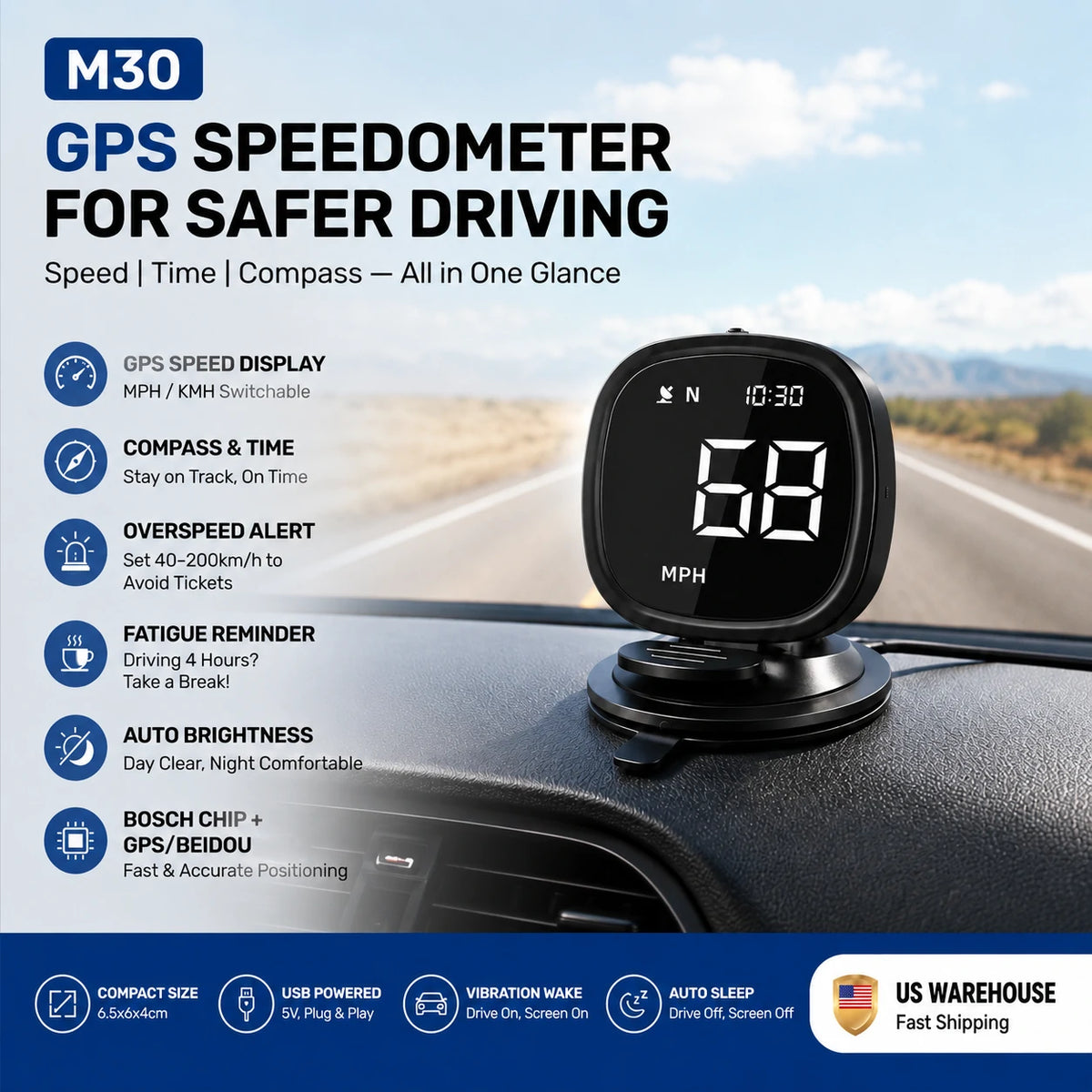
M30 uses GPS satellite positioning to show real-time speed, compass direction and GPS time on a compact dashboard display—without an OBD connection or complicated installation.
- Accurate GPS speed display with switchable MPH and KM/H
- Custom overspeed alerts and fatigue-driving reminders
- Automatic brightness adjustment for day and night
- USB plug-and-play power with no wiring or OBD connection
- Universal support for cars, SUVs, pickups, vans, trucks and RVs
✓ Free Standard Shipping to U.S. & Canada on Orders Over $99 USD
Choose options
Upgrade Your Old Car With a Clear Digital Dashboard
Is your vehicle’s speedometer hard to read or outdated? The M30 GPS Speedometer adds a clear digital speed display without OBD connection or complicated installation.
Using GPS satellite positioning, it shows real-time speed, compass direction, and GPS time on a compact dashboard screen. Perfect for older cars, trucks, RVs, and daily drivers.
Key Features
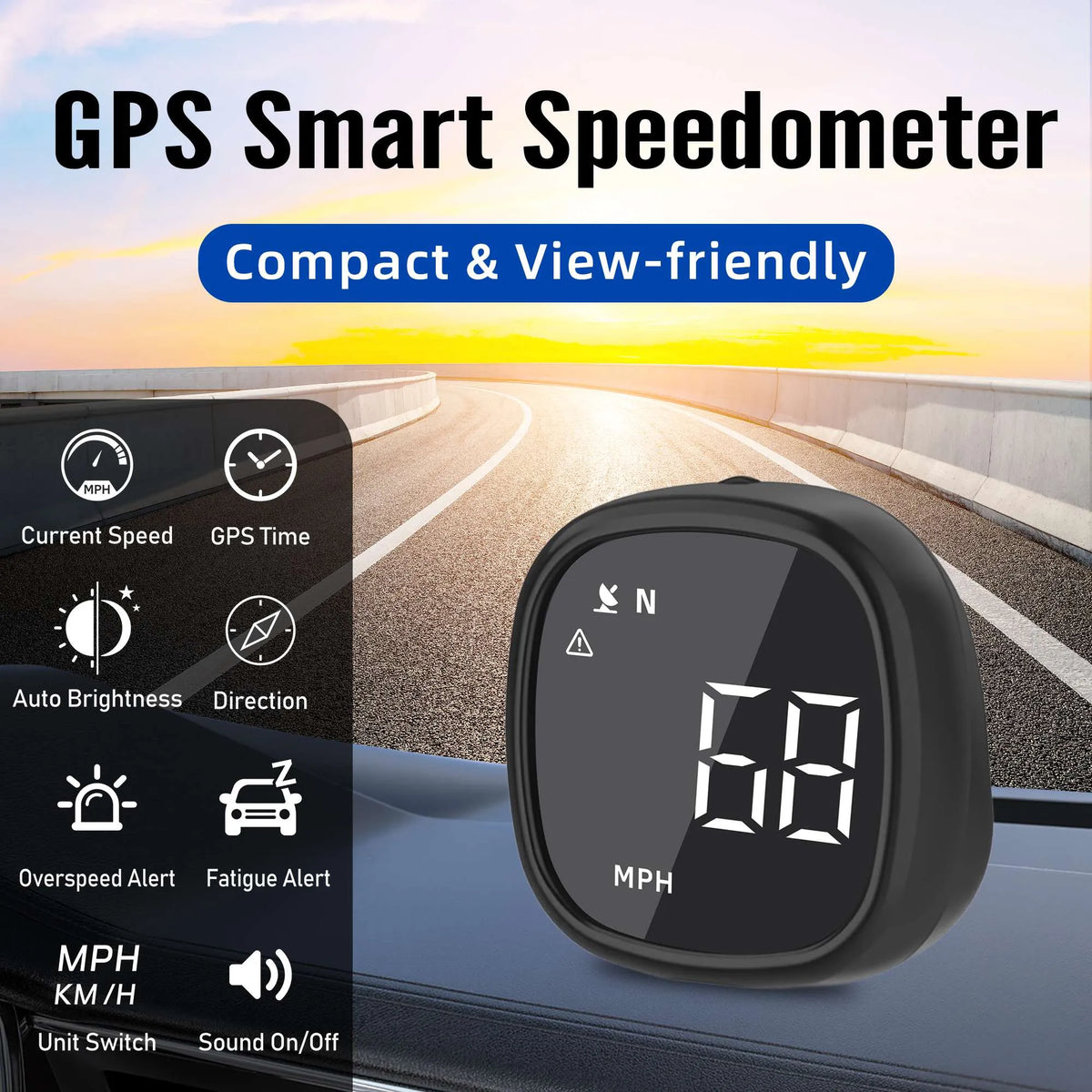
- Accurate GPS Speed Display — View real-time MPH/KM/H speed without relying on your original dashboard.
- Driving Safety Alerts — Custom overspeed alerts and fatigue reminders for safer trips.
- Clear Day & Night Display — Automatic brightness adjustment for better visibility.
- Easy Plug & Play Setup — USB powered, no wiring, no OBD, no professional installation.
- Universal Compatibility — Works with cars, SUVs, pickups, vans, trucks, and RVs.
A simple digital upgrade that brings modern driving information to any vehicle.
🚚 Free Standard Shipping to U.S. & Canada on Orders Over $99 USD


M30 GPS Speedometer for Car
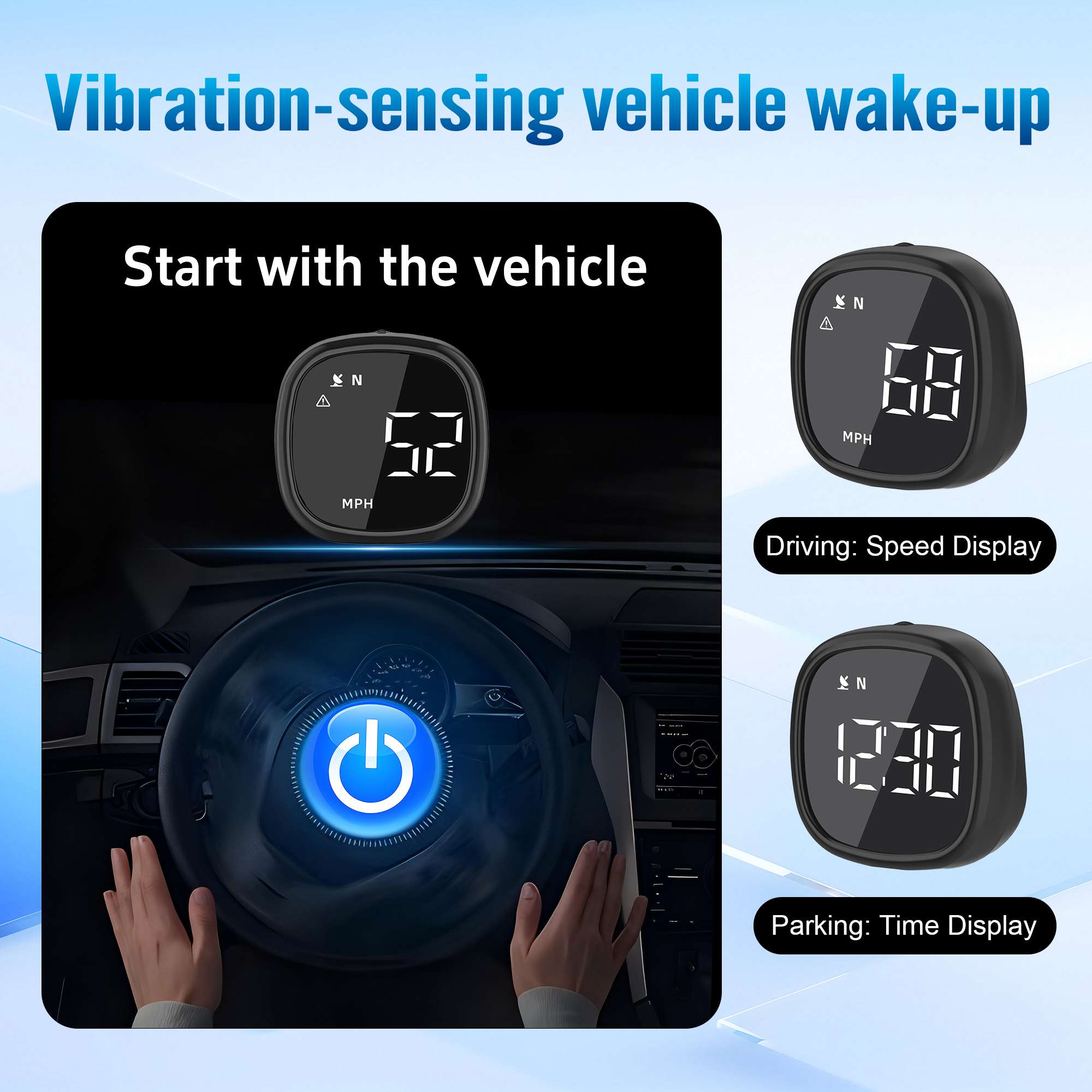
The M30 GPS speedometer for car is a compact digital driving display designed to show real-time speed, GPS time, and compass direction without requiring an OBD connection.
Powered through USB and using satellite positioning, the M30 works independently from the vehicle’s original instrument cluster. It is suitable for drivers who want a clearer speed display, an additional reference for older dashboards, or a compact driving monitor that can be transferred between vehicles.
Its small dashboard-friendly design helps keep the display visible without occupying excessive windshield or dashboard space.
Real-Time GPS Speed Display
The M30 calculates vehicle speed using satellite positioning rather than reading speed data from the vehicle’s OBD system.
The digital display provides a clear view of your current speed while driving.
You can select:
- MPH
- KM/H
This makes the M30 suitable for use in different countries and regions.
GPS-based speed may differ slightly from the vehicle’s original speedometer because the two systems use different measurement methods.
No OBD Connection Required
The M30 does not need to connect to the vehicle’s OBD-II port.
This means it can be used with a wide range of vehicles, including many vehicles that do not support advanced OBD displays.
Simply:
- Position the M30 on the dashboard.
- Connect the USB power cable.
- Start the vehicle.
- Wait for the device to receive a satellite signal.
- Begin viewing speed and driving information.
No smartphone app, Bluetooth pairing, or mobile internet connection is required.
GPS Time Display
The M30 receives time information from positioning satellites and displays GPS-based time.
This provides a convenient time reference during daily driving and long-distance travel.
Depending on the product settings, the user may need to adjust the time-zone offset so that the displayed time matches the local time.
GPS time reception requires a usable satellite signal.
Compass Direction
The integrated compass display shows the vehicle’s approximate travel direction.
Supported direction indicators may include:
- North
- South
- East
- West
- Intermediate directions, depending on the display mode
The direction display updates more reliably while the vehicle is moving. When the vehicle is stationary or moving very slowly, compass information may update more slowly.
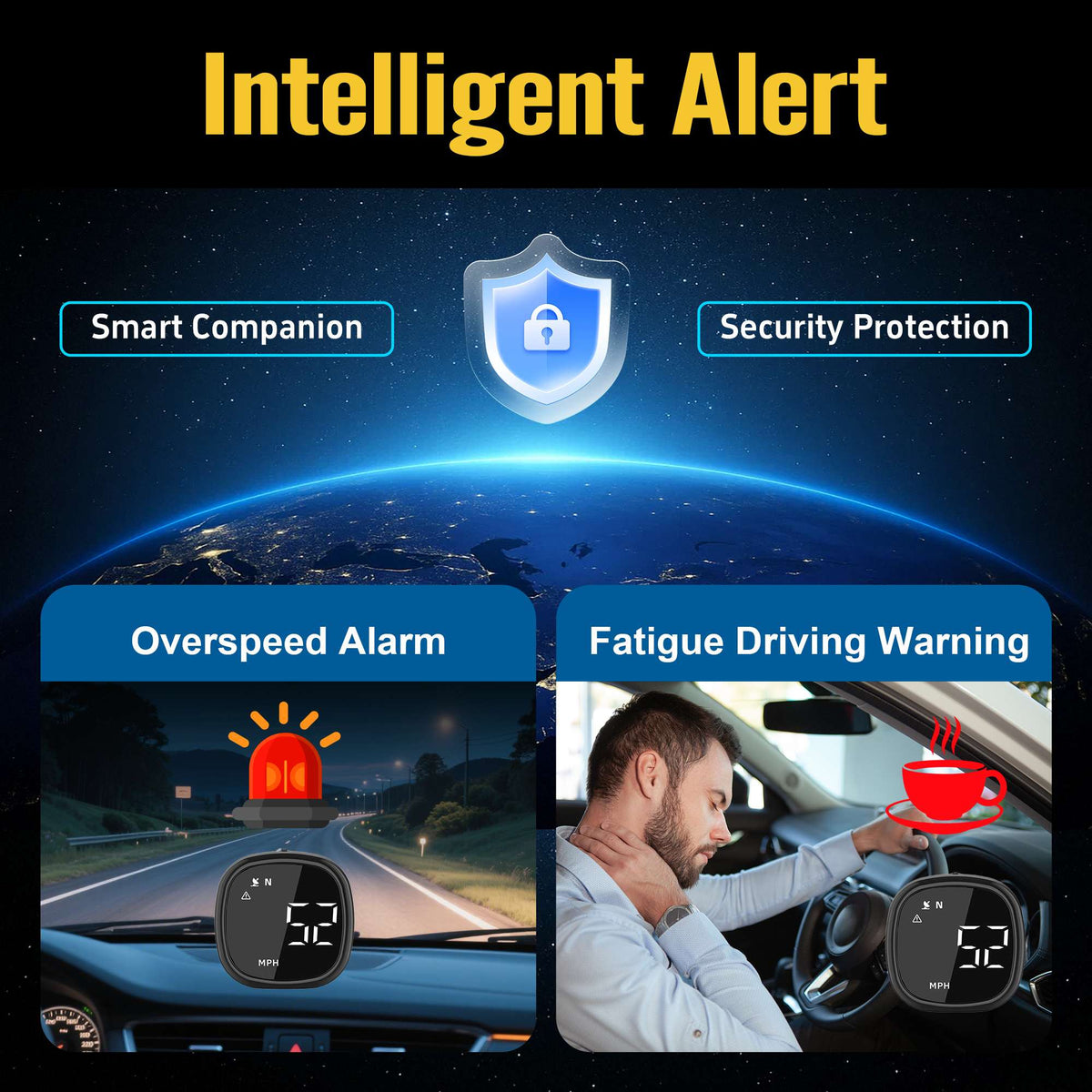
Custom Overspeed Alert
The M30 allows the driver to set a custom overspeed warning value.
The supported adjustment range is approximately:
10–253 MPH or KM/H
When the detected speed exceeds the selected value, the device provides an audible reminder.
The overspeed alert is intended as an additional driving reference. Drivers remain responsible for observing posted speed limits and local traffic laws.
Fatigue Driving Reminder
The M30 includes an adjustable fatigue-driving reminder for longer trips.
The reminder interval can be set between approximately:
1–8 hours
After the selected period of continuous operation, the device provides a reminder to help the driver consider taking a break.
The reminder does not detect actual fatigue or driver alertness. It functions only as a time-based notification.
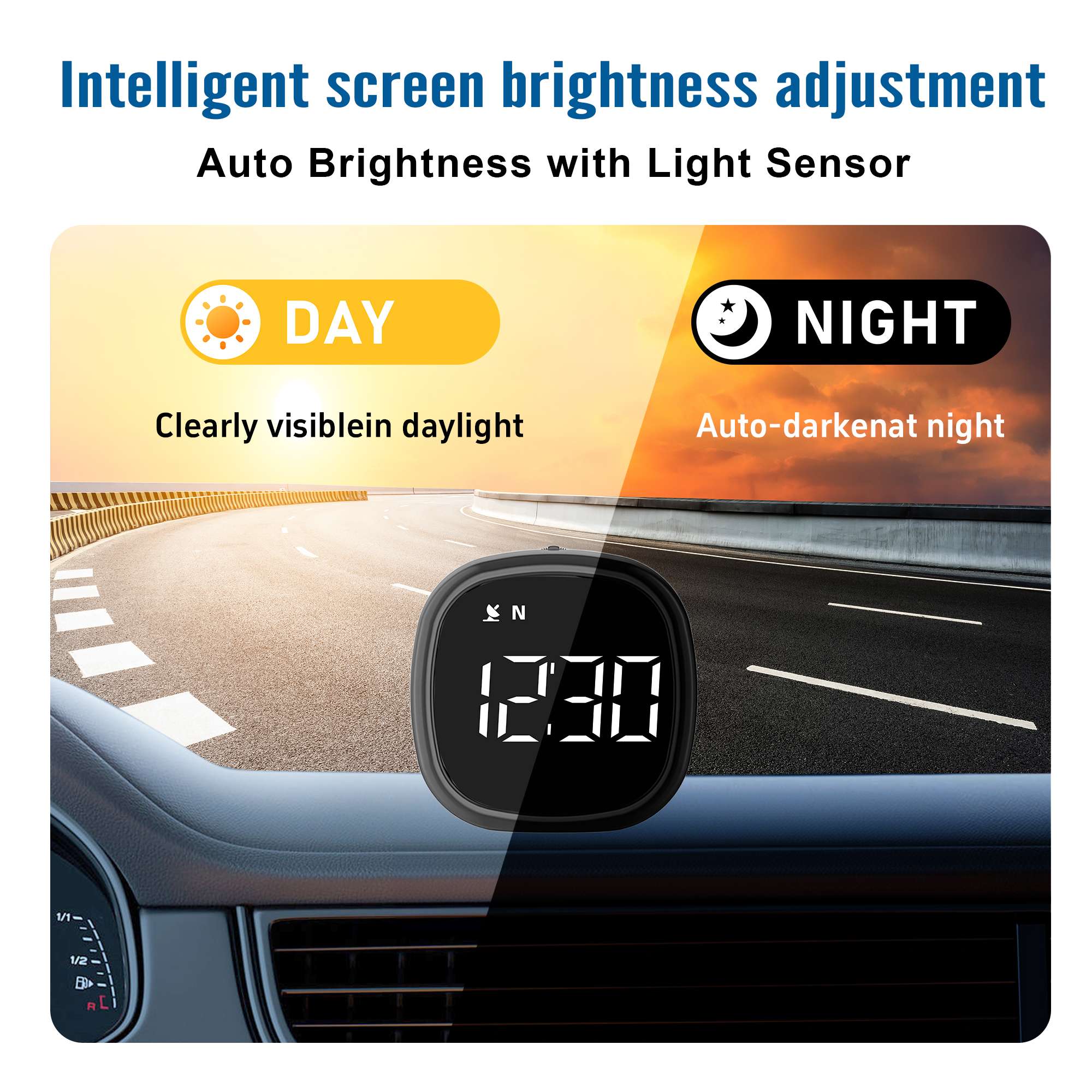
Automatic Brightness Adjustment
The screen adjusts its brightness according to surrounding light conditions.
This helps maintain readability in environments such as:
- Bright daytime driving
- Evening travel
- Tunnels
- Shaded roads
- Low-light conditions
Automatic brightness also reduces the need to manually change display settings throughout the day.
Sound On and Off
The audible alert function can be enabled or disabled through the device controls.
Turning sound on allows the M30 to provide overspeed and fatigue reminders.
Turning sound off may be useful when the driver prefers visual information without audible alerts.
Compact Dashboard-Friendly Design
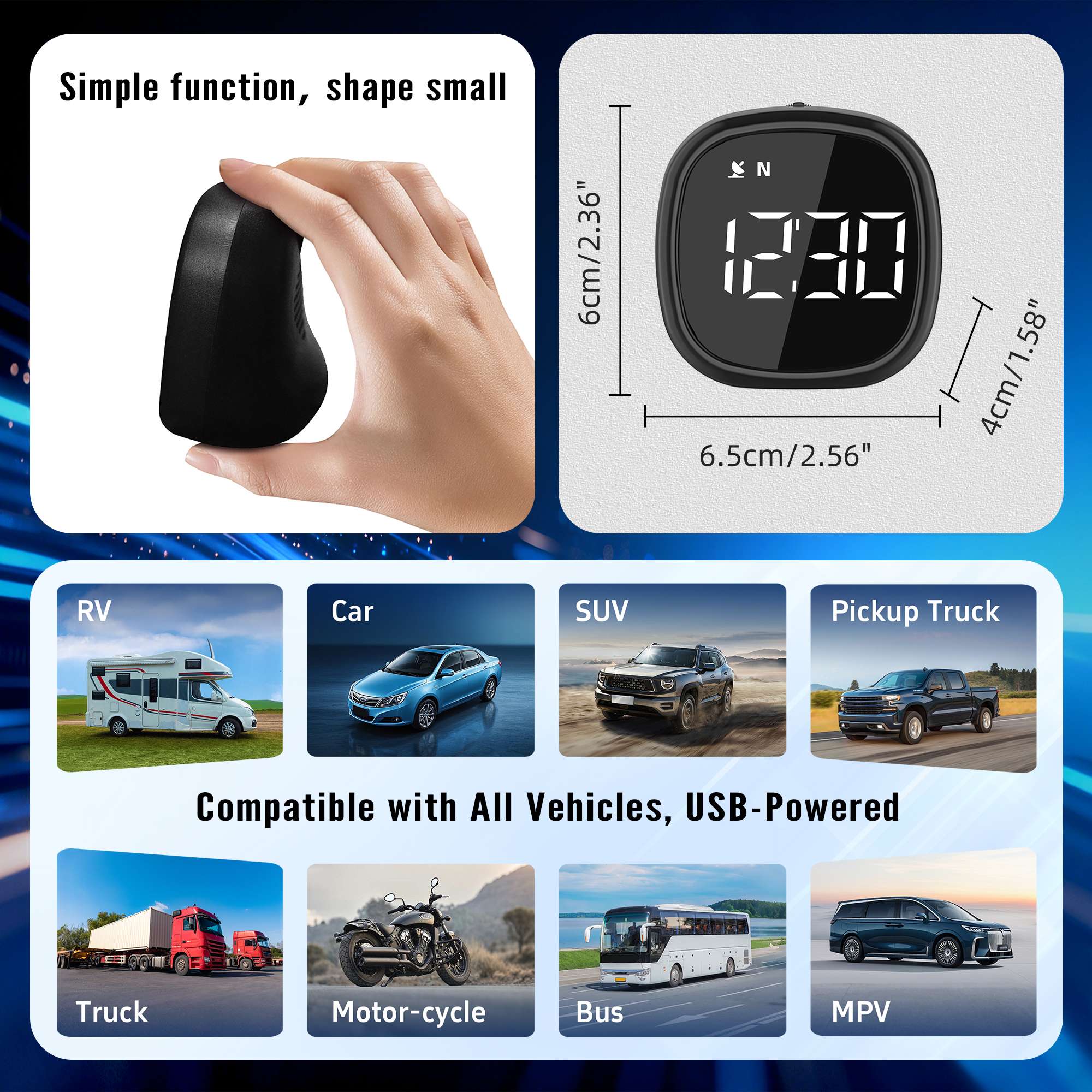
The M30 features a compact body measuring approximately:
6.5 × 6 × 4 cm
Its small size helps reduce dashboard clutter and allows installation in a position that remains easy to see.
Select an installation position that:
- Does not block the windshield
- Does not interfere with airbags
- Does not obstruct the original instrument cluster
- Does not interfere with vehicle controls
- Provides good GPS signal reception
Universal Vehicle Compatibility
Because the M30 uses GPS speed data rather than OBD vehicle data, it can work with many vehicle types.
Suitable applications include:
- Sedans
- SUVs
- Pickup trucks
- Vans
- RVs
- Camper vans
- Commercial trucks
- Off-road vehicles
- New energy vehicles
The vehicle must provide a suitable USB power source or use a compatible USB vehicle charger.
If using a 12V or 24V vehicle power socket, make sure the USB adapter supports the vehicle’s electrical system and provides the required USB output.
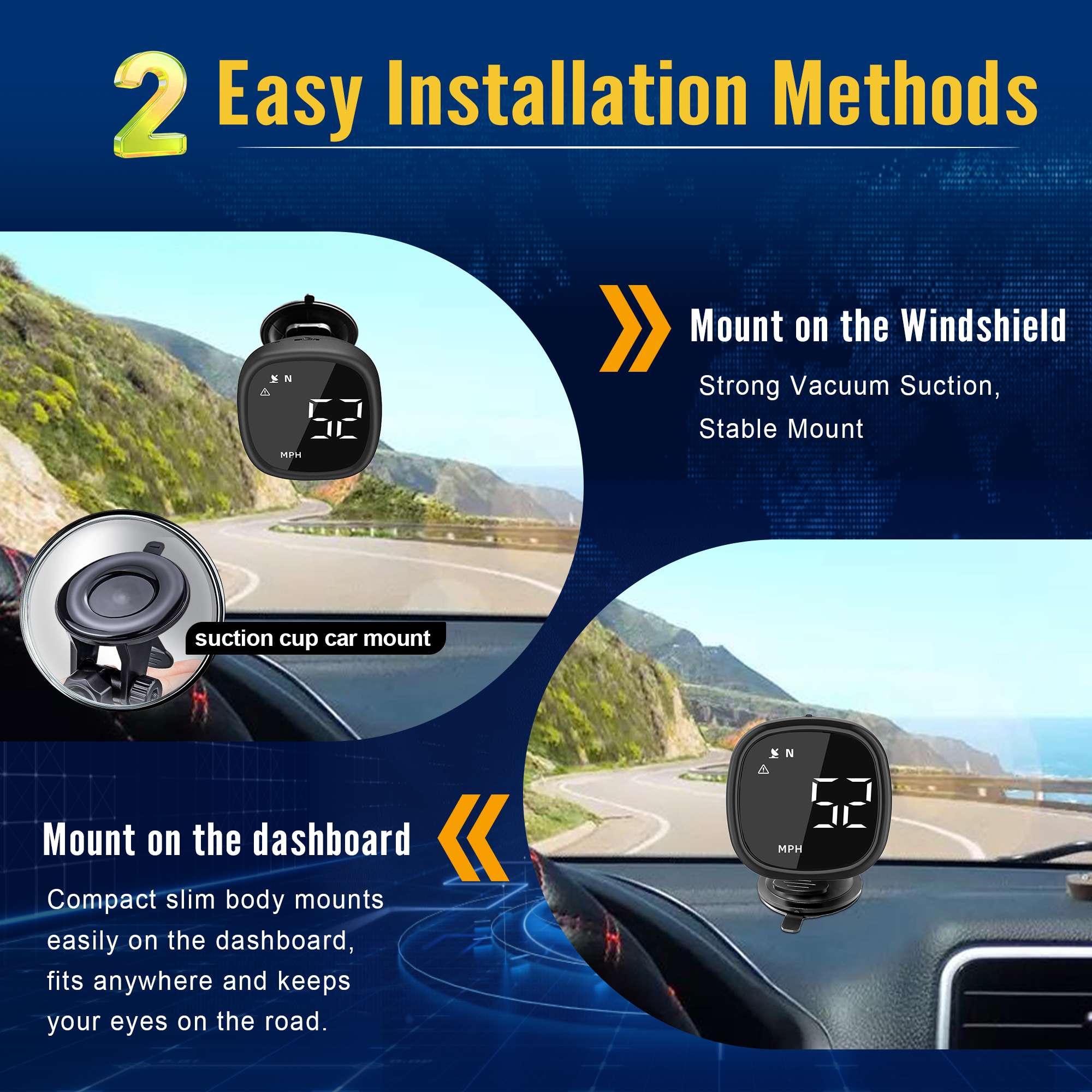
Easy Dashboard Installation
The M30 includes mounting accessories such as a non-slip pad or adhesive mounting material, depending on the package version.
Recommended installation steps:
- Clean and dry the selected dashboard surface.
- Attach the non-slip pad or mounting accessory.
- Position the M30 where the screen is easy to view.
- Route the USB cable without interfering with vehicle controls.
- Connect the power supply.
- Start the vehicle and wait for GPS reception.
Avoid placing the device directly above an airbag cover or in a location that could become hazardous during sudden braking.
GPS Reception Notes
The M30 needs a clear satellite signal to calculate speed, direction, and time.
GPS reception may be reduced in:
- Tunnels
- Underground parking areas
- Enclosed garages
- Areas between tall buildings
- Dense forests
- Locations beneath metal roofs
- Severe weather conditions
After entering an open area, the device may require a short period to reacquire the satellite signal.
Initial positioning may take longer when the product is used for the first time or after traveling a long distance while powered off.
Why Choose the M30?
The M30 combines several practical driving functions in one compact device:
- Real-time GPS speed
- MPH and KM/H switching
- GPS-based time
- Compass direction
- Overspeed reminder
- Fatigue-driving reminder
- Automatic brightness
- Sound control
- Universal USB-powered installation
- No OBD connection required
- No smartphone app required
It is a practical choice for drivers who want a clear secondary speed display without modifying the vehicle or relying on the original dashboard.
M30 specifications
GPS speedometer specifications synchronized from the original AOMOSUR listing.
Frequently asked questions
Answers synchronized from the original AOMOSUR M30 product page.
1. How do I install the M30?
Place it in a visible dashboard position using the included pad or mounting accessory, connect the USB cable, start the vehicle and wait for GPS reception. Drilling or professional installation is normally unnecessary.
2. Does it connect to the OBD-II port?
No. M30 calculates speed through satellite positioning and does not require an OBD-II connection.
3. Does it require a smartphone app?
No. M30 works independently without a smartphone, Bluetooth, Wi-Fi or mobile data.
4. Which vehicles are compatible?
It works with cars, SUVs, pickups, vans, RVs, trucks, off-road vehicles and new-energy vehicles that provide suitable USB power.
5. Is it compatible with 12V and 24V vehicles?
Yes, when connected through a compatible USB vehicle charger that accepts the vehicle voltage and provides the correct USB output.
6. Where should I install it?
Choose an easy-to-see dashboard position that does not block the windshield, airbags, instruments or controls and has a relatively clear view toward the sky.
7. How long does GPS positioning take?
Timing depends on the surroundings. First use or a cold start may take longer; reception is normally faster in an open area with a clear view of the sky.
8. Why is no speed shown in a tunnel or garage?
M30 depends on satellite positioning. It should resume after returning to an open area and reacquiring GPS.
9. Can I switch between MPH and KM/H?
Yes. Select either unit using the device controls.
10. Why does GPS speed differ from the vehicle speedometer?
A small difference is normal because GPS and the vehicle use different measurement methods. Tire size, calibration and signal conditions can also affect readings.
11. How does the overspeed alarm work?
Set a warning speed between approximately 10 and 253 MPH or KM/H. When GPS speed exceeds it, M30 sounds an alert if sound is enabled.
12. How does the fatigue reminder work?
Set an operating-time interval from approximately 1 to 8 hours. M30 then sounds a time-based reminder; it does not detect actual fatigue.
13. Can the alarm sound be turned off?
Yes. Audible alerts can be enabled or disabled through the device controls.
14. Does brightness adjust automatically?
Yes. The display adjusts to surrounding light for daytime, nighttime and changing road conditions.
15. Does the compass work while stationary?
Direction is more reliable while moving. At a stop or very low speed, it may update slowly or remain temporarily unchanged.
16. Does M30 display altitude or mileage?
The listed functions are speed, GPS time, compass direction, overspeed alert and fatigue reminder; altitude and mileage are not listed as supported functions.
17. Can I leave it connected after parking?
That depends on the vehicle’s USB power behavior. Disconnect M30 during long-term parking if the USB port remains powered.
18. Is M30 waterproof?
No. M30 is intended for the vehicle interior and should not be exposed to rain, pressure washing, standing water or excessive moisture.
What’s included
Included components for the selected AOMOSUR product configuration.
- 1 × M30 GPS speedometer main unit
- 1 × USB power cable (1.5m)
- 1 × Adhesive mounting pad / bracket
- 1 × User manual
- 1 × Warranty card
- 1 × Product inspection certificate
Need help with compatibility or installation?
Our support team can help you choose, install and use your AOMOSUR product.