
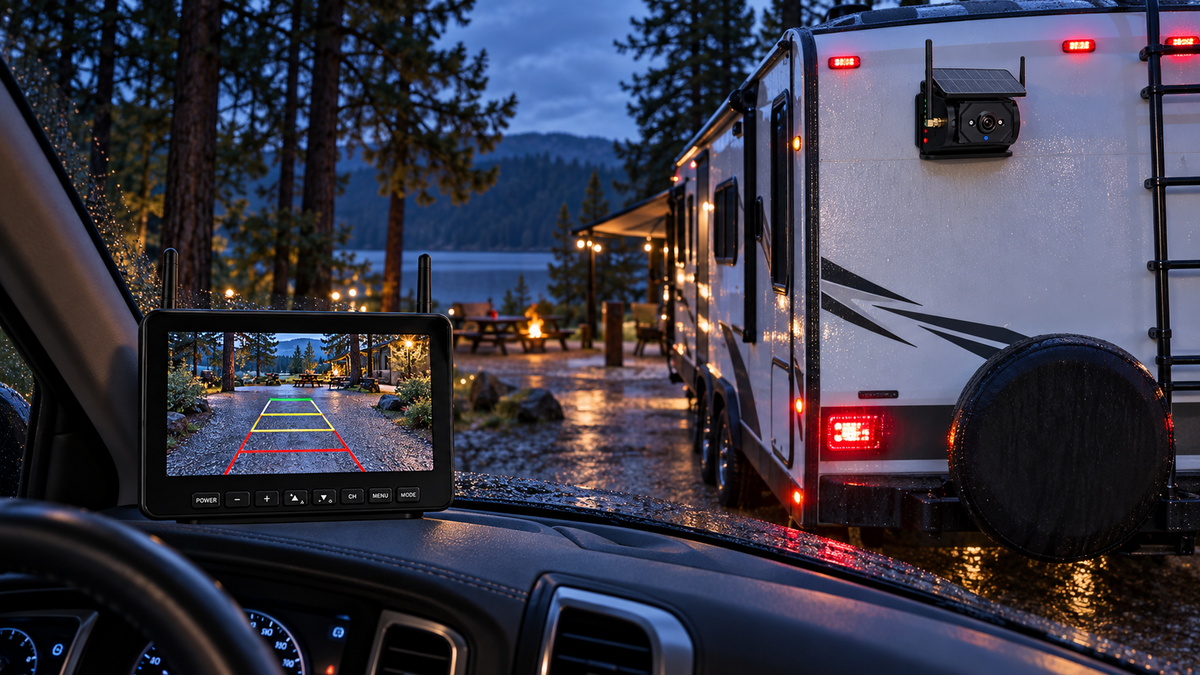
Short answer: wireless RV camera lag and signal loss are usually system-level problems, not just “camera quality” problems. Trailer length, antenna placement, metal bodywork, power stability, radio interference and monitor position all affect the result. The best buying decision is the system you can test reliably on your own tow vehicle and trailer—not simply the one with the largest resolution number.
Recent RV owner discussions reflect the same concern. In a 2026 r/RVLiving camera-system thread, shoppers asked whether a long-rig wireless camera could stay responsive at highway speed, while another rear-view camera discussion focused on displays and vehicle integration. These owner reports are useful for identifying real-world questions, but they are not controlled tests.
A rear camera is supplemental visibility. Continue to use properly adjusted mirrors, direct observation and a spotter when available. If the image freezes, drops or becomes unclear, do not use it as the sole basis for a maneuver.
Lag, low frame rate and signal loss are different problems
Owners often describe every poor image as “lag,” but the fix depends on what is actually happening. True latency means the monitor displays an event noticeably after it occurs. Low frame rate looks choppy even if the image is current. Signal loss creates freezes, black screens or repeated reconnecting. A blurred picture can come from motion, moisture, dirt or low light rather than the wireless link.
- Noticeable delay: compare a live hand movement behind the camera with the monitor response while parked.
- Choppy motion: watch whether the image advances in uneven steps.
- Freeze or dropout: note whether it happens during engine start, braking, turns or only at longer distances.
- Soft image: clean the lens and repeat the test in daylight before blaming signal strength.
Why 1080p does not guarantee a low-lag picture
Resolution describes image detail, not response time. A high-resolution camera can still have processing delay, a weak wireless path or a monitor that updates slowly. For backing, a stable and timely image is more useful than extra pixels that arrive late. Compare connection behavior, field of view, low-light performance and display readability along with resolution.
The six checks that solve many wireless camera problems
- Confirm clean power. Loose connections, weak batteries and noisy circuits can cause intermittent behavior. Follow the camera manufacturer’s power requirements.
- Check antenna orientation. Fully seat antennas and use the recommended orientation rather than pointing them randomly.
- Reduce metal obstruction. Large trailers, cargo and body panels can block or reflect radio signals. Test camera and monitor positions before permanent mounting.
- Move the monitor. A small change away from a pillar, screen or other electronics can improve the link.
- Test with the engine running. A system that works in the driveway may behave differently when vehicle electronics and lights are active.
- Update one variable at a time. Record which change improves the problem instead of replacing several parts at once.
Technical troubleshooting guidance from etrailer likewise emphasizes checking power, pairing, antennas and the signal path before assuming the camera itself has failed.
A realistic driveway test before the first trip
Install or temporarily position the system exactly as you intend to use it. Ask a helper to walk behind the trailer and make clear movements while you watch the monitor. Repeat with the tow vehicle idling, headlights on and the trailer connected. Then move slowly through a safe open area and confirm the display does not freeze during turns.
- Check the entire hitch-to-camera distance, not the advertised range in an empty field.
- Test the image in bright sun, shade and dusk.
- Confirm the camera angle includes the trailer corners and the ground area you need.
- Verify the monitor does not block the windshield, gauges or controls.
- Learn what the system looks like when signal is lost so you recognize it immediately.
Dedicated monitor or phone?
A dedicated monitor provides an always-available view without competing with navigation, calls or notifications. It can also be easier when several people share the tow vehicle. A phone-based system reduces dashboard hardware but adds app, battery, operating-system and screen-sharing considerations. Choose the workflow you will actually use every time.
When a rear camera is useful while towing
Some RV owners use a rear camera for supplemental awareness on the road. That can be useful only when the image is stable, current and positioned for the task. Do not treat it as a replacement for mirrors or shoulder checks, and do not stare at the monitor. If the system is primarily designed for backing, confirm that continuous travel use is supported.
Where the AOMOSUR AM700 fits
The AOMOSUR AM700 Magnetic Solar RV Backup Camera System combines a solar-assisted magnetic camera with a dedicated 7-inch monitor. It suits owners who want a separate screen and a removable mounting approach on compatible metal surfaces.
Before travel, charge the system, secure every component as instructed and repeat the full-rig signal test. Magnetic mounting is convenient only when the chosen surface, retention and travel conditions meet the product instructions.
Frequently asked questions
Can Wi-Fi or Bluetooth interfere with a wireless RV camera?
Nearby electronics can contribute to radio interference, depending on the frequencies and system design. If performance changes when another device is powered, separate the devices or follow the camera manufacturer’s troubleshooting steps.
Why does my camera work when parked but fail on the highway?
Vibration, changing antenna geometry, electrical noise and the full vehicle structure can reveal problems that a stationary test misses. Recheck mounting, power and antenna position, then test safely at low speed before normal travel.
Should I choose the longest advertised wireless range?
Range claims are only one comparison point. Your trailer materials, installation and interference matter. Prioritize a stable result on your actual rig.
Can I back up using only the monitor?
No. Use mirrors, direct observation and a spotter when possible. Stop and get out to look whenever clearance is uncertain.
Next step: View the AOMOSUR AM700 or compare AOMOSUR Backup Camera Systems.