
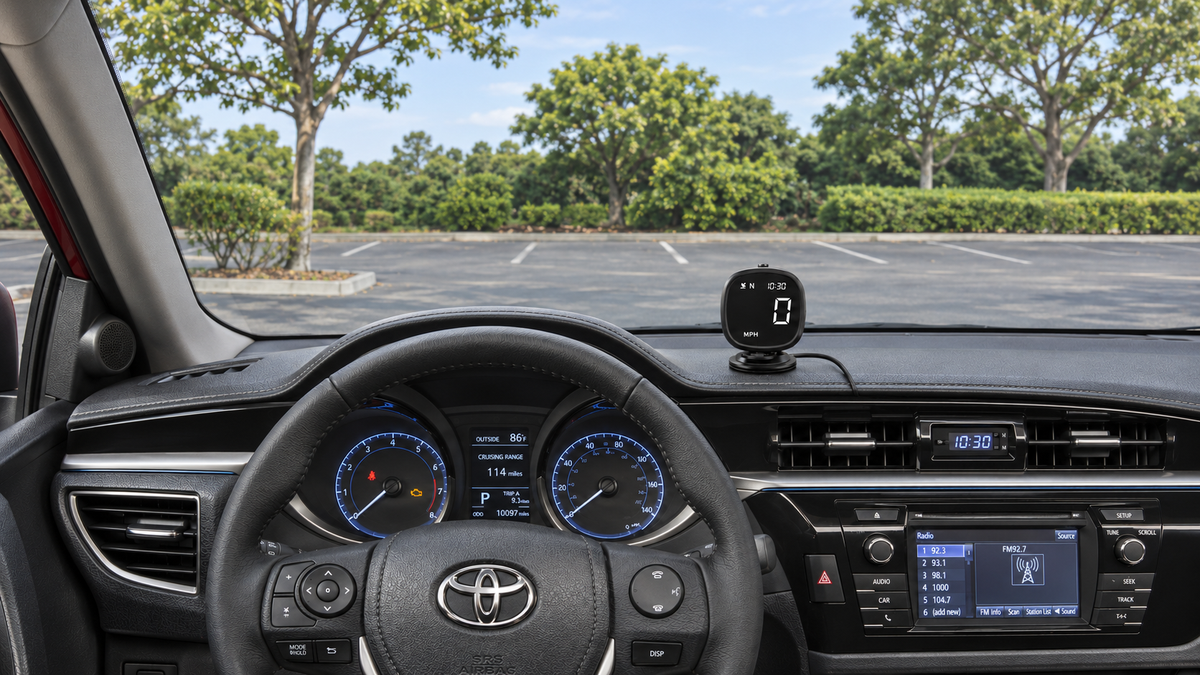
A GPS speedometer may not match the speed shown on your car's dashboard. The two systems measure speed differently, and tire size, calibration, and GPS reception can all affect the readings. A difference between them does not necessarily mean that either device is faulty.
Start by checking that both displays use the same units, then note when the difference occurs. Below, we explain the common causes, what to check, and what the AOMOSUR M30 and X100 offer if you want a separate speed display.
How a GPS speedometer measures speed
A GPS speedometer uses satellite signals to calculate speed. It does not need to read speed data from the car's sensors.
Your car's speedometer usually relies on sensors that measure wheel or transmission rotation. The system converts those signals into the speed shown on the dashboard.
As Garmin explains in its support guidance, vehicle calibration and GPS reception can both affect the readings.
Why GPS speedometer readings may differ
Tire size and speedometer calibration
Speedometer calibration sets the relationship between sensor data and the speed shown on the dashboard. Tire size is part of that relationship: a tire with a larger diameter travels farther with each full turn.
If you fit tires with a different diameter, the distance traveled per wheel rotation changes. The speedometer's existing settings may no longer account for that distance correctly.
AutoMeter's speedometer instructions identify tire size as a factor in speedometer accuracy. If the readings started to differ after a tire-size change, ask a qualified mechanic to check the tire size and speedometer calibration.
The GPS signal is blocked or weakened
Tunnels, underground parking areas, and tall buildings can block or reflect satellite signals. This can interrupt GPS reception or make the speed reading less reliable.
GPS.gov's accuracy guidance explains that both the receiver and the signal conditions affect speed accuracy. An open view of the sky helps the device receive signals, but it does not guarantee an exact reading.
A GPS device may also need time to acquire a signal after you switch it on. If it has not yet found a signal, follow the startup instructions and allow time for reception in an open area.
Different units or changing speed
Check whether each display uses miles per hour (MPH) or kilometers per hour (KM/H). For example, 60 MPH is about 97 KM/H. Those numbers look far apart, but they describe the same speed.
Also consider when you noticed the difference. A comparison at a steady speed is more useful than a quick glance while accelerating or slowing down. Keep your attention on the road and ask a passenger to note the readings if needed.
What to check when the readings differ
Look for a pattern before changing settings or replacing a device. Does the difference occur just after startup, in a covered area, or at a steady speed on an open road?
| What you notice | What to check |
|---|---|
| The numbers are far apart | Check that both displays use MPH or both use KM/H. |
| The GPS reading is missing in a garage or tunnel | Check the signal after returning to an open area. |
| The difference appeared after a tire-size change | Have a mechanic check the tire size and speedometer settings. |
| The readings still differ at a steady speed on an open road | Check the display's setup instructions. If the cause is still unclear, contact product support or a qualified mechanic. |
If the car's original speedometer stops working or shows sudden, unexplained changes, have the vehicle checked. An extra display will not repair a fault in the original system.
Can you use a GPS speedometer in a regular car?
Yes. AOMOSUR lists cars, SUVs, pickups, vans, trucks, and RVs among the supported vehicle types for M30 and X100. Both calculate speed from satellite signals without reading data from the vehicle.
Before installing either model, check its power requirements and choose a secure mounting position. M30 uses USB power, while X100 supports solar-assisted charging and 5V USB charging.
If you plan to use a 12V or 24V vehicle socket, choose a USB adapter rated for that voltage. Its USB output must also meet the display's power requirements.
Position the display where it has a clear view of the sky and is easy to read. Keep it clear of airbag covers and avoid blocking your view of the road or the original instruments. Route the cable away from the controls.
Choosing a GPS speedometer for your car
If you want an extra speed display, compare the information each model shows. M30 focuses on speed, time, and direction; X100 also records mileage.
M30: speed, time, and direction
The M30 GPS speedometer shows speed, GPS time, and compass direction, with a choice of MPH or KM/H. It uses USB power and works without a phone app.
It also works without an OBD connection. OBD is the vehicle's diagnostic system, which mechanics use to read fault codes and other vehicle data. M30 calculates speed independently of that system. If you also want to track mileage, consider X100.
X100: speed plus accumulated mileage
The X100 speed and mileage display combines a GPS speedometer with an odometer for recording distance. Along with speed and accumulated mileage, it shows the time, date, and altitude (height above sea level).
You can save a starting mileage reading, then let X100 add the distance it calculates from satellite signals as you drive. Its solar panel helps charge the battery, although charging depends on the available sunlight. USB charging is also available.
Frequently asked questions
Is a GPS speedometer always more accurate?
No. GPS accuracy depends on the receiver and signal conditions, while the car's speedometer depends on its sensors and calibration. A difference between the two readings is a reason to check the setup, not proof that one is more accurate.
Do M30 and X100 need a phone app or mobile data?
No. Both calculate speed from satellite signals without a phone app or mobile data. They still need a usable satellite signal to calculate speed.
Can X100 replace the car's original odometer?
No. X100 keeps a separate GPS-based mileage record. Entering a starting reading does not connect it to the car's original odometer or make it a replacement.
To compare the displays and their features, visit the M30 product page or the X100 product page.