
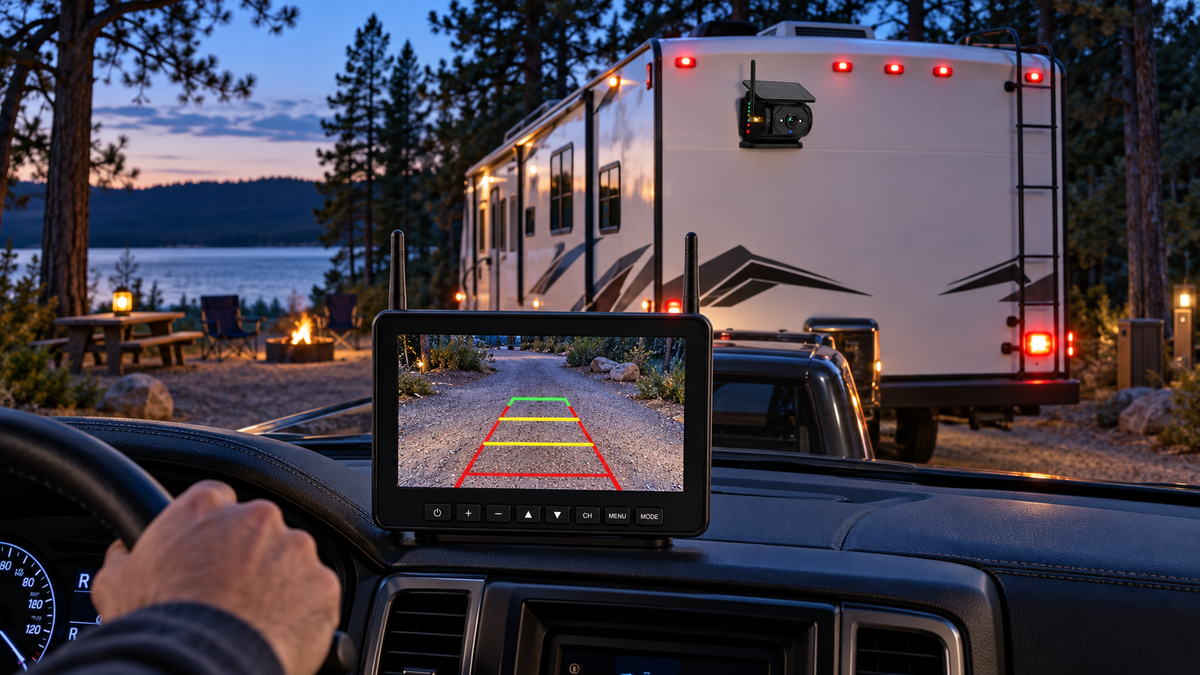
Short answer: choose a dedicated monitor if you want an always-ready rear view that does not share battery, notifications or screen space with navigation. Choose a phone-based camera if minimizing dashboard hardware matters more and you are comfortable opening the app before every maneuver.
Recent Reddit questions show that the decision is less about specifications and more about workflow. A 2026 r/GoRVing discussion centered on avoiding another dashboard screen, while newer RV camera-system discussions focused on connection reliability and whether one integrated system is better than separate devices.
A camera is a visibility aid. Continue to use mirrors, direct observation and a spotter when available. Stop and get out to look whenever the image or surroundings are uncertain.
Dedicated monitor vs. phone: the useful comparison
| Decision point | Dedicated monitor | Phone display |
|---|---|---|
| Ready at startup | Usually simple and predictable | Requires phone, app and connection |
| Navigation conflict | Separate screen | May compete with maps and calls |
| Dashboard space | Adds a display | Uses an existing device |
| Shared drivers | Easy handoff | Each driver may need app access |
| Phone battery/data | Independent of the phone | Depends on the phone workflow |
Why a dedicated monitor often works better for long RVs
Backing a long trailer already requires mirrors, steering corrections and awareness of the tow vehicle. A dedicated monitor keeps the camera view in one predictable place. It also leaves the phone available for navigation, campsite instructions or communication with a spotter.
The tradeoff is physical space. Mount the display where it is easy to scan without blocking the windshield, gauges or controls. A larger screen is not automatically better if it interferes with the driver’s forward view.
When a phone-based camera can be the right choice
A phone-based setup can keep the cab clean and may suit occasional towing. It is most attractive when one person uses the same phone and the camera connection process is fast and repeatable.
- Test what happens when a call or notification appears.
- Confirm the camera connection does not disrupt navigation you need.
- Check whether the phone overheats in direct sunlight.
- Keep a secure mount and charging cable ready.
- Verify the app and operating system remain compatible before a long trip.
The five camera features that matter most
- Reliable signal in your exact rig. Trailer length, tow-vehicle body and nearby electronics can affect performance.
- Useful low-light visibility. Many campsite arrivals happen near dusk.
- A view you can interpret. The image should make obstacles and the trailer path clear without extreme distortion.
- Practical power. Compare hardwired power, rechargeable batteries and solar assistance for your travel routine.
- Secure mounting. Confirm the camera cannot shift, fall or obstruct another component.
Can a rear camera help beyond backing?
Some owners in a travel-trailer rear-view discussion use a camera for additional awareness while towing and changing lanes. Whether that is appropriate depends on the camera’s power mode, field of view, latency and local rules. Treat the image as supplemental information, never as a replacement for mirrors and shoulder checks.
A campsite backing routine that reduces stress
- Walk the site first and identify branches, posts, hookups, drop-offs and the final wheel position.
- Agree on simple hand signals with the spotter before moving.
- Position and test the camera before entering the tight area.
- Back slowly and stop immediately when the spotter disappears from view.
- Get out and look again whenever distance or clearance is uncertain.
Beginner anxiety is common; a 2026 travel-trailer thread about learning to back repeatedly recommended practice and getting out to look. Technology helps most when it supports that disciplined routine.
Where the AOMOSUR AM700 fits
The AOMOSUR AM700 Magnetic Solar RV Backup Camera System pairs a magnetic solar-assisted camera with a 7-inch dedicated monitor. It is designed for owners who want a separate rear-view screen and a mounting approach that avoids a permanent camera installation on compatible surfaces.
Before travel, fully test the camera position, charge state, monitor placement and signal with your actual trailer and tow vehicle.
Frequently asked questions
Will a wireless RV camera work without cellular service?
Many dedicated wireless camera systems create their own link between camera and monitor and do not use cellular service. Confirm the connection method for the specific model.
Is a 7-inch monitor too large?
It depends on the cab. A 7-inch screen can make details easier to see, but it must be mounted without blocking the road view or controls.
Can I leave a magnetic camera attached while driving?
Only use the product as directed. Confirm surface compatibility, mounting instructions, retention requirements and travel-speed guidance before moving the vehicle.
Do I still need a spotter?
Use a spotter whenever practical, particularly in crowded, uneven or low-clearance areas. A camera cannot show every hazard around the rig.
Next step: View the AOMOSUR AM700 or browse Backup Camera Systems.